How to Subscribe to a Plan & Get a License Key
How to Subscribe to a Plan and Get a Pewbeam License Key
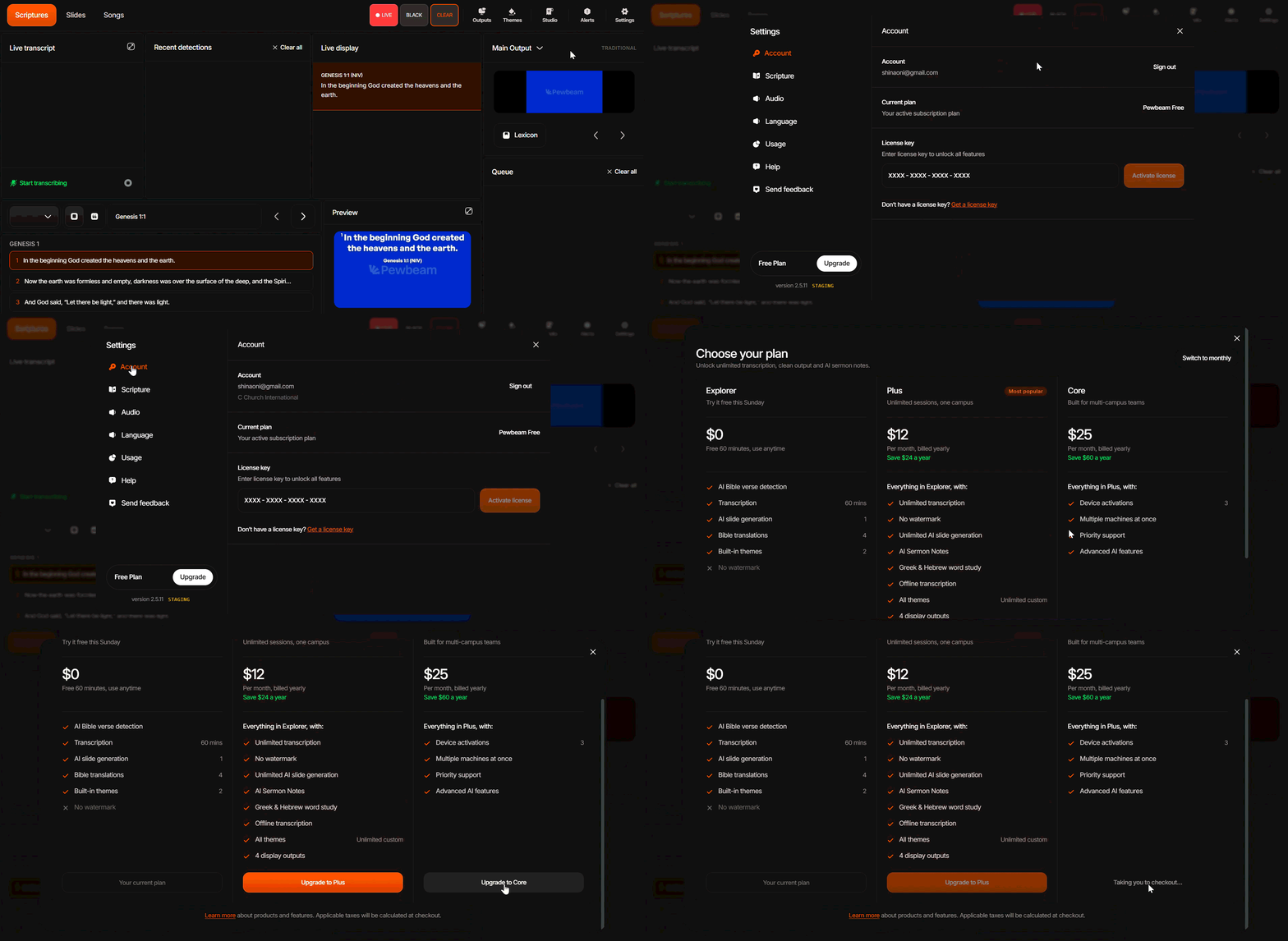
Step 1 - Subscribing to a Plan
- Log in to Pewbeam with your email address.
- Go to your Settings by clicking the Gear icon in the top navigation bar.
- Click Account.
- Scroll down and click Don’t have a license key? Get a license key or visit pewbeam.com/pricing.
- Select your preferred plan (Plus or Core) and click Upgrade to make your payment.
- Once your payment is successful, we'll email you a license key.
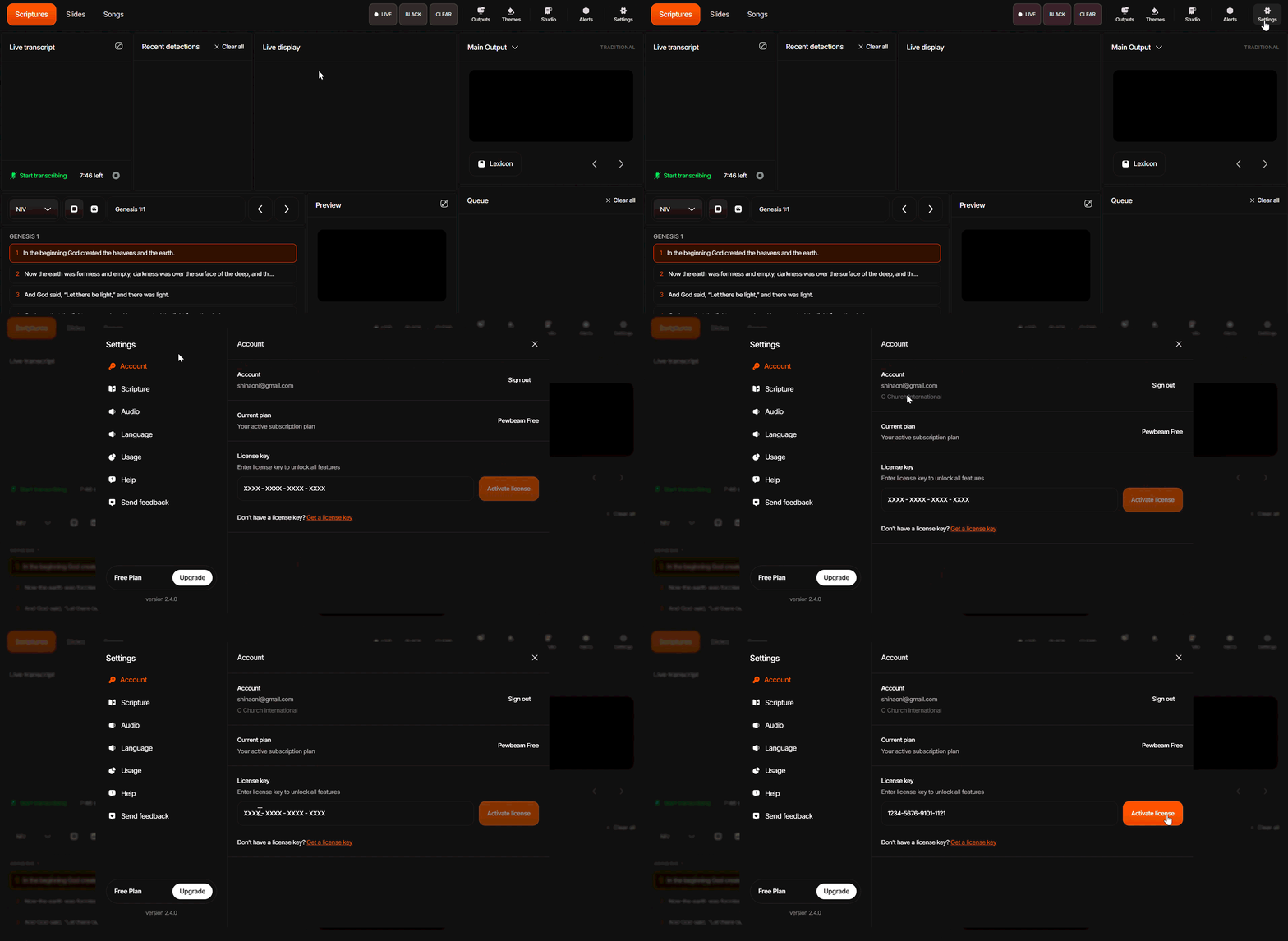
Step 2 - Activating Your License Key
- Go to your Settings by clicking the Gear icon in the top navigation bar.
- Click Account.
- Select License and enter your License Key.
- Click Activate.
Did this answer your question?
Thanks for the feedback
There was a problem submitting your feedback. Please try again later.

