How to Select an Audio (Microphone) Source on Pewbeam
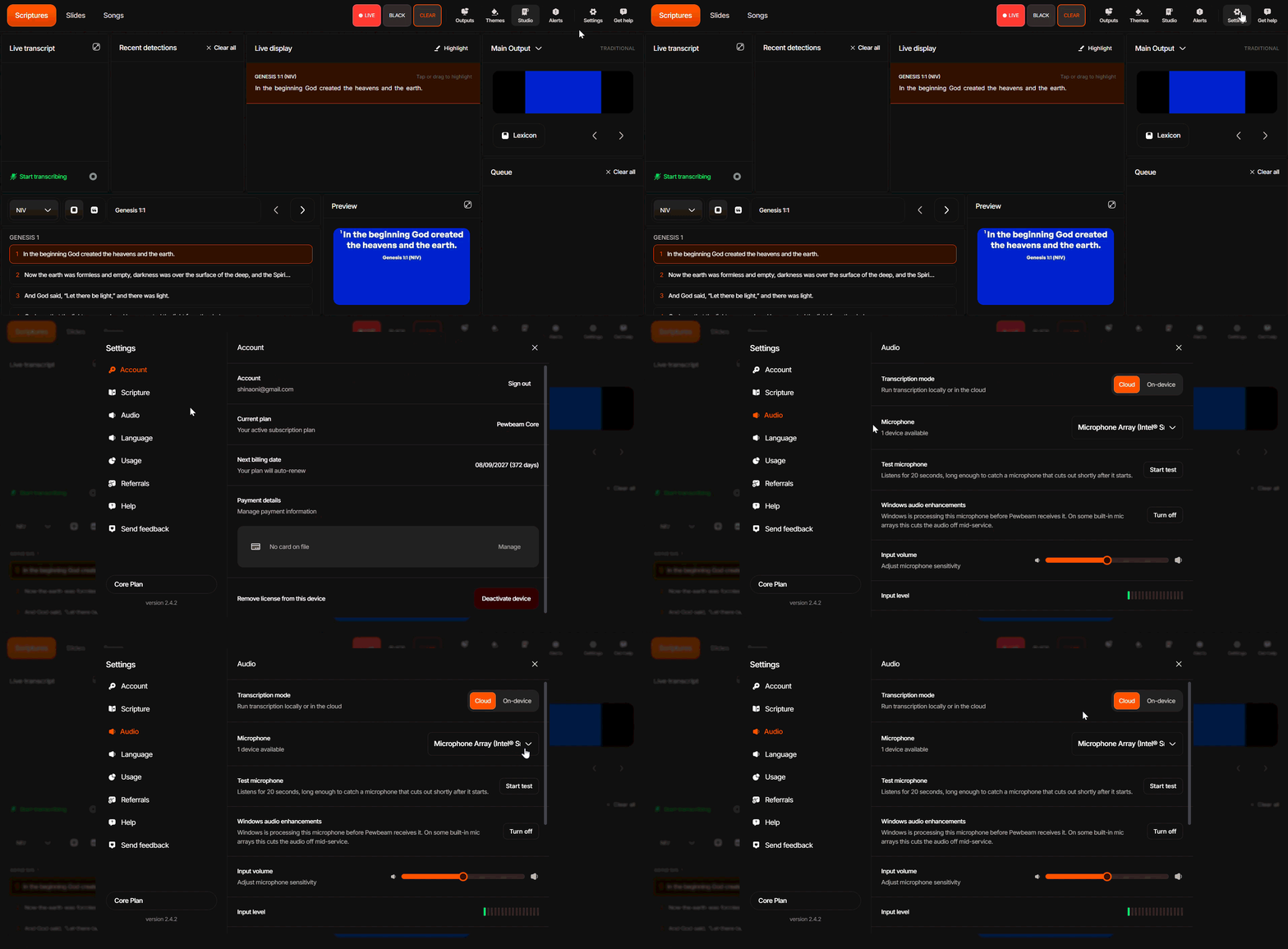
The instructions below show how you can choose your preferred microphone source for transcription on Pewbeam:
- Go to Settings.
- Select Audio.
- Click on the Microphone dropdown menu to select your preferred audio source.
Adjusting Microphone Sensitivity (Input Gain)
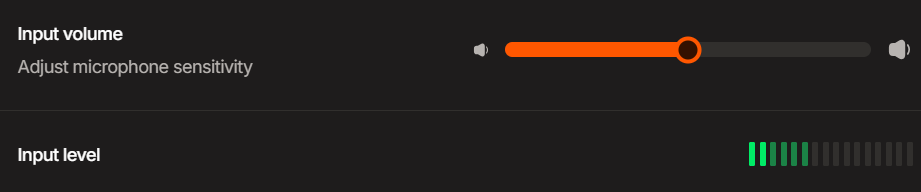
You can also adjust the input gain slider (0–100%) to regulate your microphone's sensitivity and ensure the meter level stays in the green/yellow range.
Recommended Microphone/Audio Input Device (Hardware)
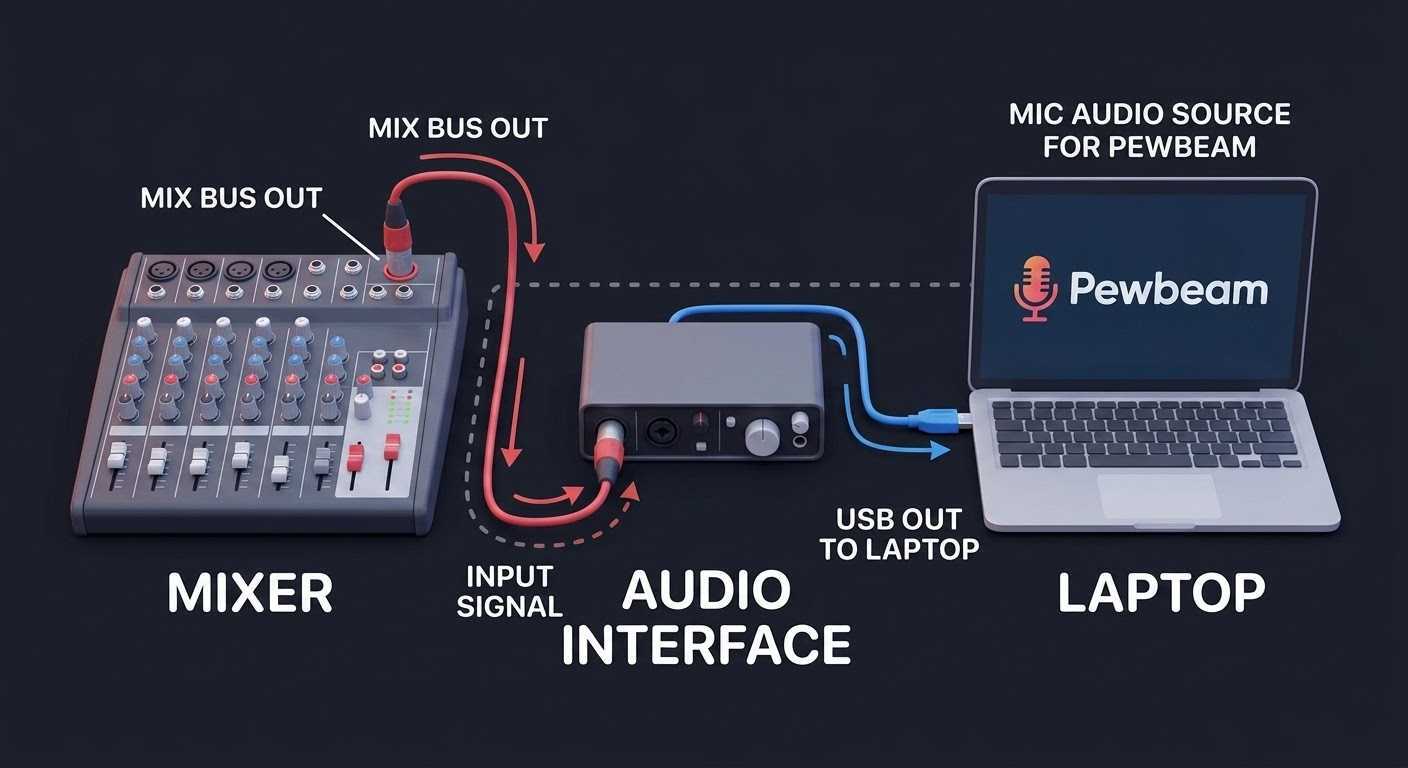
Use a Soundcard or USB audio interface connected directly to your mixing console for the cleanest audio feed.
Any USB audio interface (sound card) that connects to your computer will work with Pewbeam. However, here are a few tested and reliable options we can suggest below:
- Focusrite Scarlett 2i2 4th Gen
- Audient iD4 MkII
- Behringer U-Phoria UMC22
- Behringer U-PHORIA UM2 Audiophile